Asset filtering use case for Statistics Collector Profiler
Using the allow and deny lists in Asset filtering, you can create a profiler job that profiles only relevant production tables, saving significant cluster resources by excluding development and temporary tables.
Scenario: Profiling Production Airline Databases
- Production databases like
airline_operationsandfinance_prod. - Development databases like
airline_dev. - Temporary staging databases like
airline_staging_20251003. - User sandbox databases like
user_anna.
Running the Statistics Collector Profiler on every table every night is inefficient and resource-intensive. You need a way to automatically profile only important, active production tables, while ignoring everything else.
Filtering Rules Logic
The job should first exclude any table that matches any of the following Deny List rules:
- Database name
ends with
_dev - Database name
starts with
airline_staging_ - Owner
equals
temp_user - Creation Date
greater than
365 days agoto cover only one year - Name
ends with
_archive_hive
From the remaining assets, the job will consider any table that matches any of the following Allow List rules:
- Database name
starts with
airline_ - Database name
equals
finance_prod
Configuration Steps
To set up these rules:
- Go to .
- Click Add New Rule.
- Set up your rules as the following:
Figure 1. Allow rules 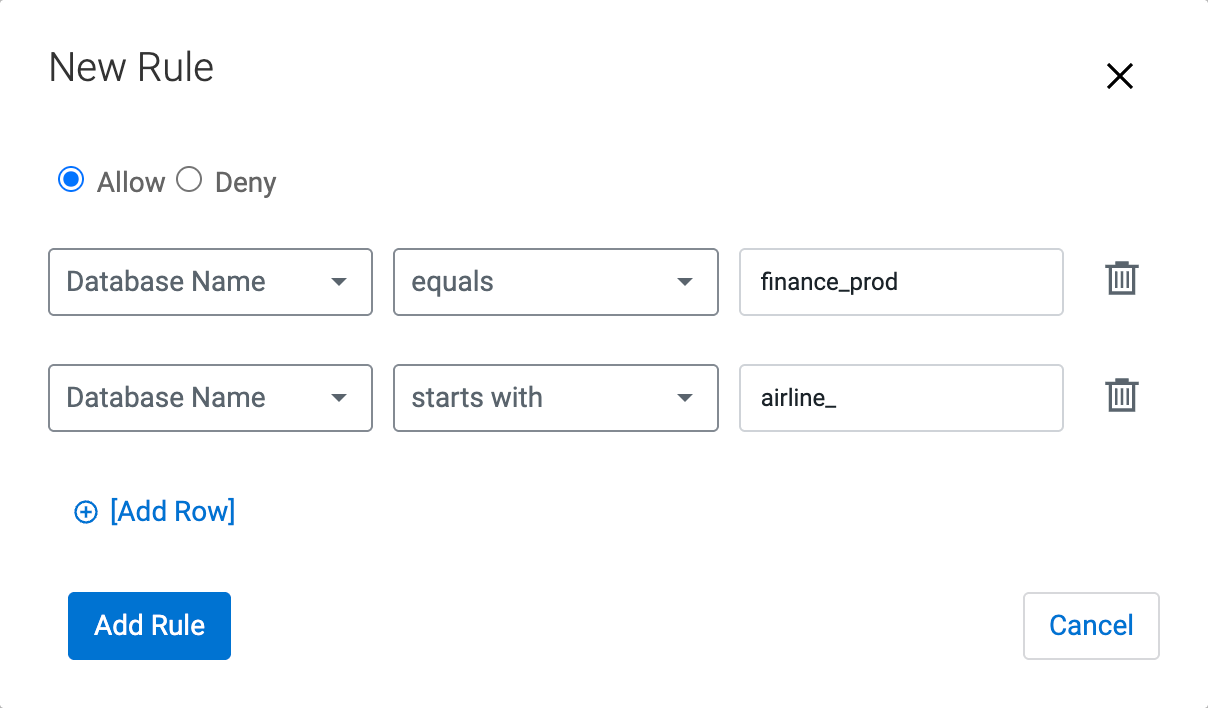
Figure 2. Deny rules 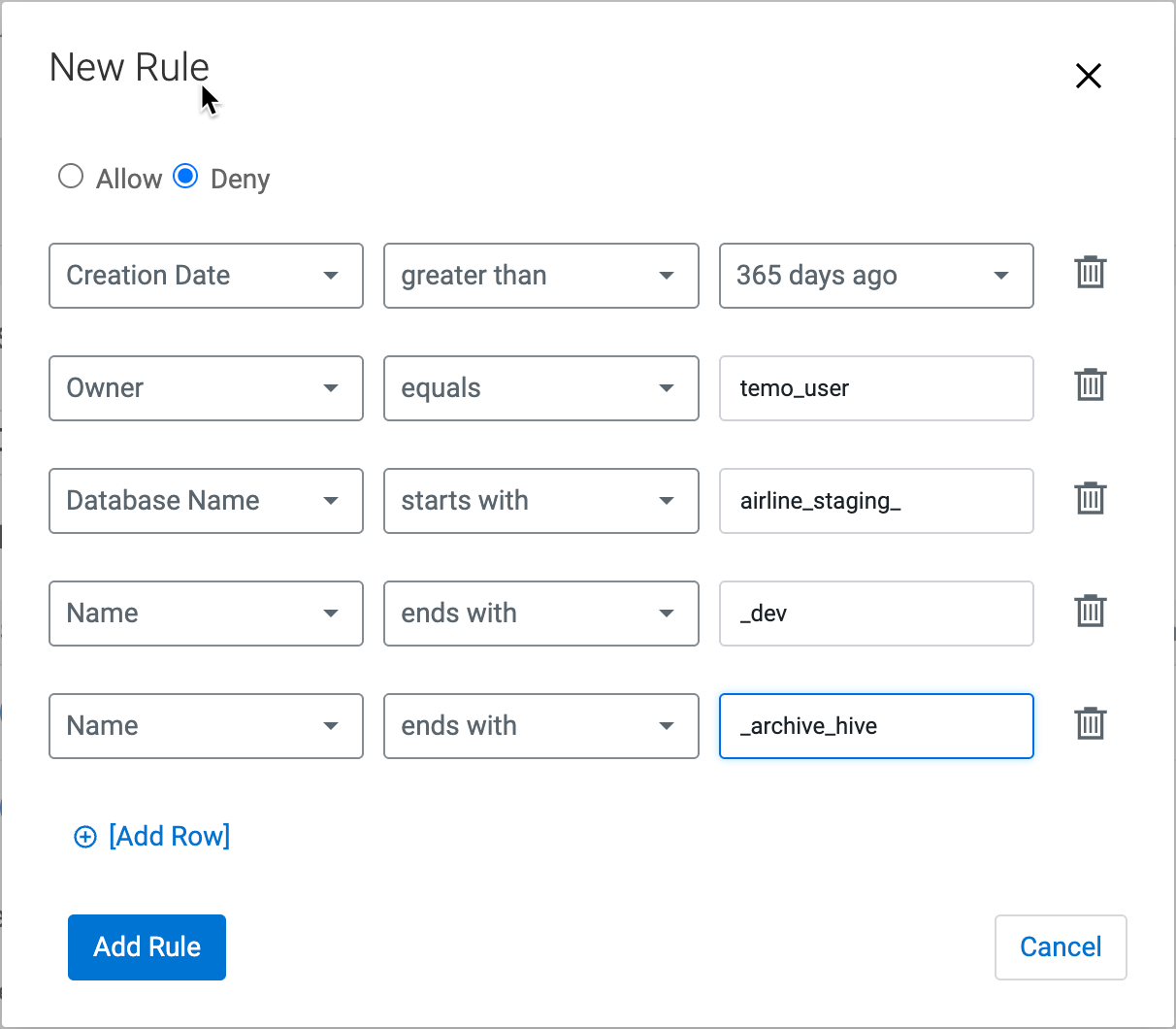
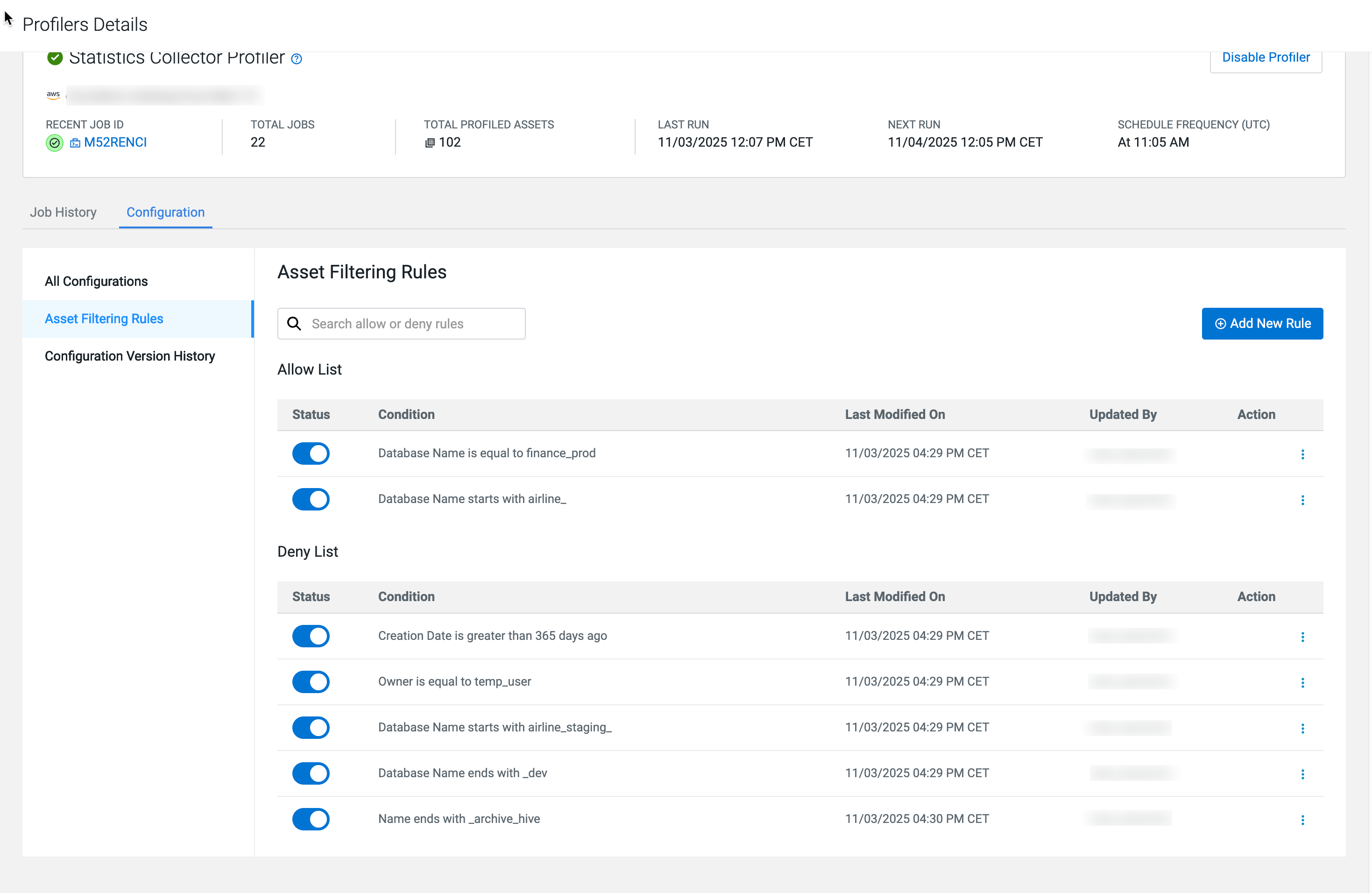
Validation
 and selecting Affected
Assets:
and selecting Affected
Assets: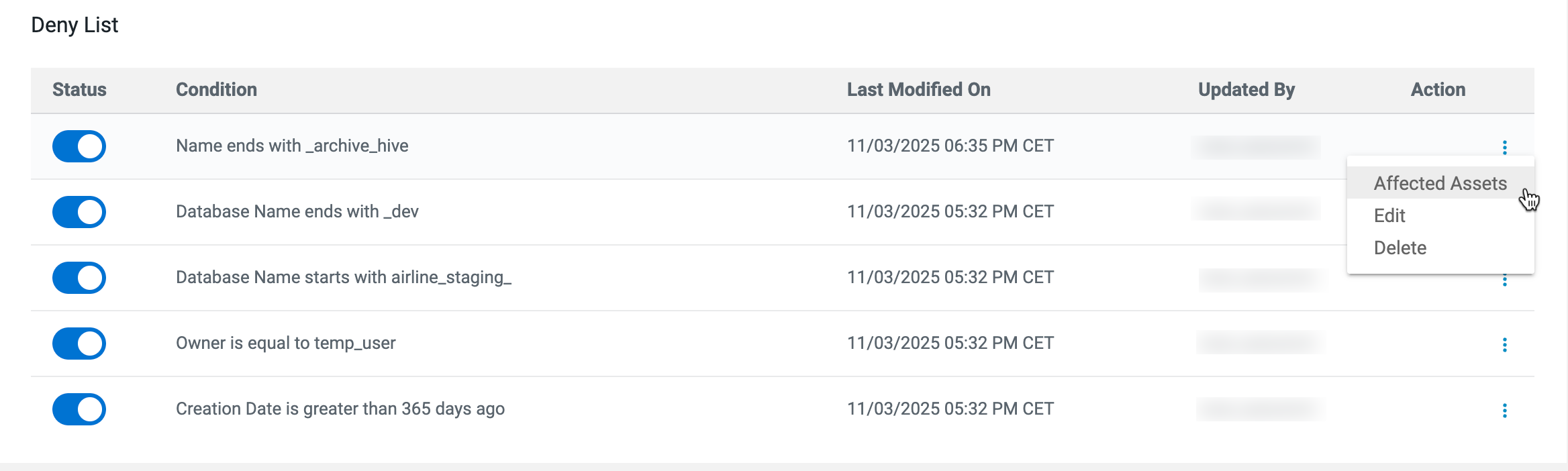

In the example, files ending with *_archive_hive will not be
processed.